Menü Barrierefreiheit öffnen Zu Seiteninhalt springen

Get the perfect video every time. No search required!

Describe the video you need and our AI Video generator creates it for you. Generate custom clips and instantly add to your design.

Get the perfect video every time. No search required!

Describe the video you need and our AI Video generator creates it for you. Generate custom clips and instantly add to your design.

How to use PosterMyWall's AI Video generator

Using AI Videos is simple:

Using AI Videos is simple:

  • 1
    Open AI Video.

    Click the AI panel in the editor and select AI Video.

  • 2
    Describe your video.

    Type a text description of the clip you need. Be specific, for example, "Aerial drone shot of a beach at sunset, golden light."

  • 3
    Or add an image.

    Attach an image with your text prompt to turn it into a video. Great for product shots!

  • 4
    Choose settings and add to design.

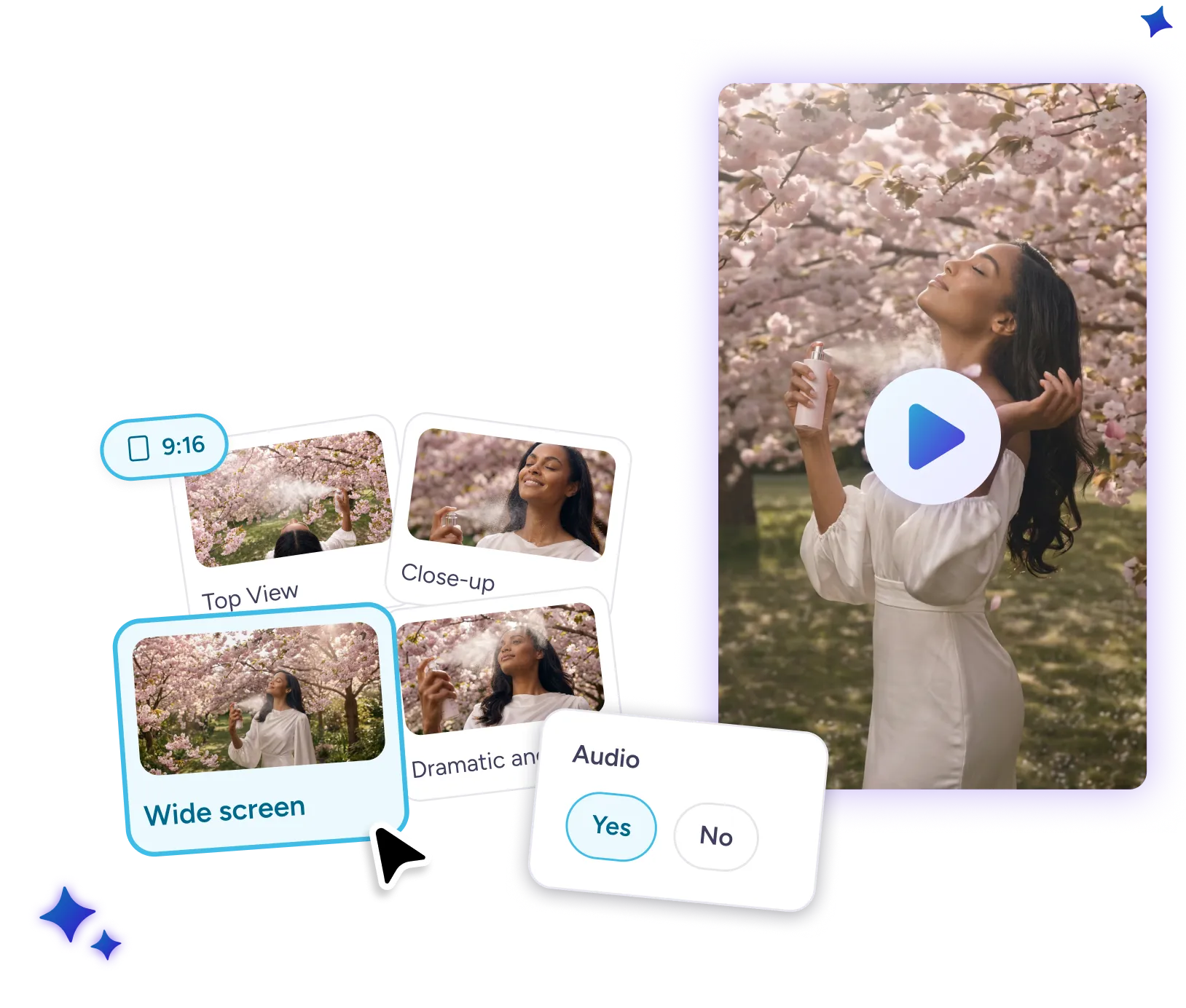
    Pick a camera angle or style, select your aspect ratio (9:16 or 16:9), and instantly add to your design.
Why use PosterMyWall AI Video?

Why use PosterMyWall AI Video?

  • Save time.

    No more scrolling through hundreds of stock clips looking for the right fit. Describe exactly what you need and AI Videos creates it for you in minutes.

  • It's easy.

    A simple text prompt is all it takes to create the video clip you're looking for. Easily select camera angle, style and aspect ratios in a click. No more switching between complex video tools.

  • Audio included.

    Skip the extra search for a matching sound effect or track. AI automatically adds it to your video.

Turn your images into videos with AI

Watch as your prompt turns images into dynamic, moving clips. No time to record that product shot? Add a reference image and the AI Video generator transforms it into a polished video clip in minutes.

Watch as your prompt turns images into dynamic, moving clips. No time to record that product shot? Add a reference image and the AI Video generator transforms it into a polished video clip in minutes.

Tips for AI Video generator prompts

Get the perfect video clip every time.

Get the perfect video clip every time.

  • Be specific. "Drone shot at sunset" is decent. "Aerial drone shot of a beach at golden hour, waves slowly rolling in, warm light" is perfect.

  • Add a reference image. For product shots or branded content, upload a reference image to tailor the video to your subject.

Discover more awesome marketing tools

Power up with Premium:


Entwerfen Sie alles, jederzeit und überall

Entwerfen Sie alles, jederzeit und überall

  • Vereinfachte Design-Tools

    Erstellen Sie in Minuten atemberaubende Designs mit Millionen von Vorlagen und Drag-and-Drop-Bearbeitung. Passen Sie Designs schnell an und ändern Sie die Größe, um sie an jede Plattform anzupassen.

  • Mit KI intelligenter gestalten

    Steigern Sie Ihre Kreativität mit KI-Tools, die das Design schneller und einfacher machen. Entfernen Sie Bild- und Videohintergründe, erstellen Sie einzigartige Bilder mit KI, fügen Sie Videos automatisch Untertitel hinzu und mehr. Immer perfekte Inhalte!

  • Gemeinsam arbeiten, auch unterwegs

    Teilen Sie Designs, geben Sie Echtzeit-Feedback und bleiben Sie miteinander verbunden. Mit unserer mobilen App für unterwegs können Sie den kreativen Prozess jederzeit und überall am Laufen halten.

Häufig gestellte Fragen

What is AI Videos?

AI Videos is a text-to-video generator built into PosterMyWall's editor. Describe the clip you need, choose your settings, and AI generates a custom video ready to add to your design.

What types of videos can AI Videos create?

AI Videos can generate a wide range of clips based on your text prompt, including product shots, scenic backgrounds, and social media content. You can also turn a reference image into a moving video clip.

Can I add audio to my generated video?

Yes. Toggle audio on before generating and AI will create a matching sound effect or track alongside your video.

What aspect ratios are supported?

AI Videos supports 9:16 (vertical) and 16:9 (horizontal), covering both social media and widescreen formats.

How long are AI-generated videos?

Generated clips are up to 8 seconds long.

Is AI Videos available on the free plan?

AI Videos requires a PosterMyWall premium subscription and uses credits. Free plan users can try it by signing up for a free trial or by upgrading to Premium.



