Menü Barrierefreiheit öffnen Zu Seiteninhalt springen

Turn raw clips into a polished video with our AI video editor

Automatically add captions, voiceovers, and music. Our AI video editor handles the edits while you handle the story.

Build a video fast with our AI video editor.

PosterMyWall's AI video editor turns raw footage or a simple prompt into a video ready to post. Trim clips, add transitions, and drop in music, or describe the video you want and let AI Video build a first draft in seconds.

Add captions and voiceovers with our AI video editor.

Skip the recording booth: add auto-generated subtitles with AI Subtitles so viewers can watch with the sound off, or add a natural-sounding voiceover with AI Voice without saying a word yourself. Resize the same video for Instagram Reels, TikTok, and YouTube Shorts in a click.

Publish anywhere with your AI video editor.

Once your video is ready, publish it straight to your social pages from the same dashboard, or pair it with a matching flyer or event page for a bigger push. Your AI video editor and the rest of your marketing live in one app.

Schalten Sie intelligenteres, KI-gestütztes Marketing mit PosterMyWall Premium frei.

Warum PosterMyWall verwenden

How to use PosterMyWall AI

  1. Log in or sign up

    Log in to PosterMyWall or sign up for free.

  2. Click on “Create with AI”

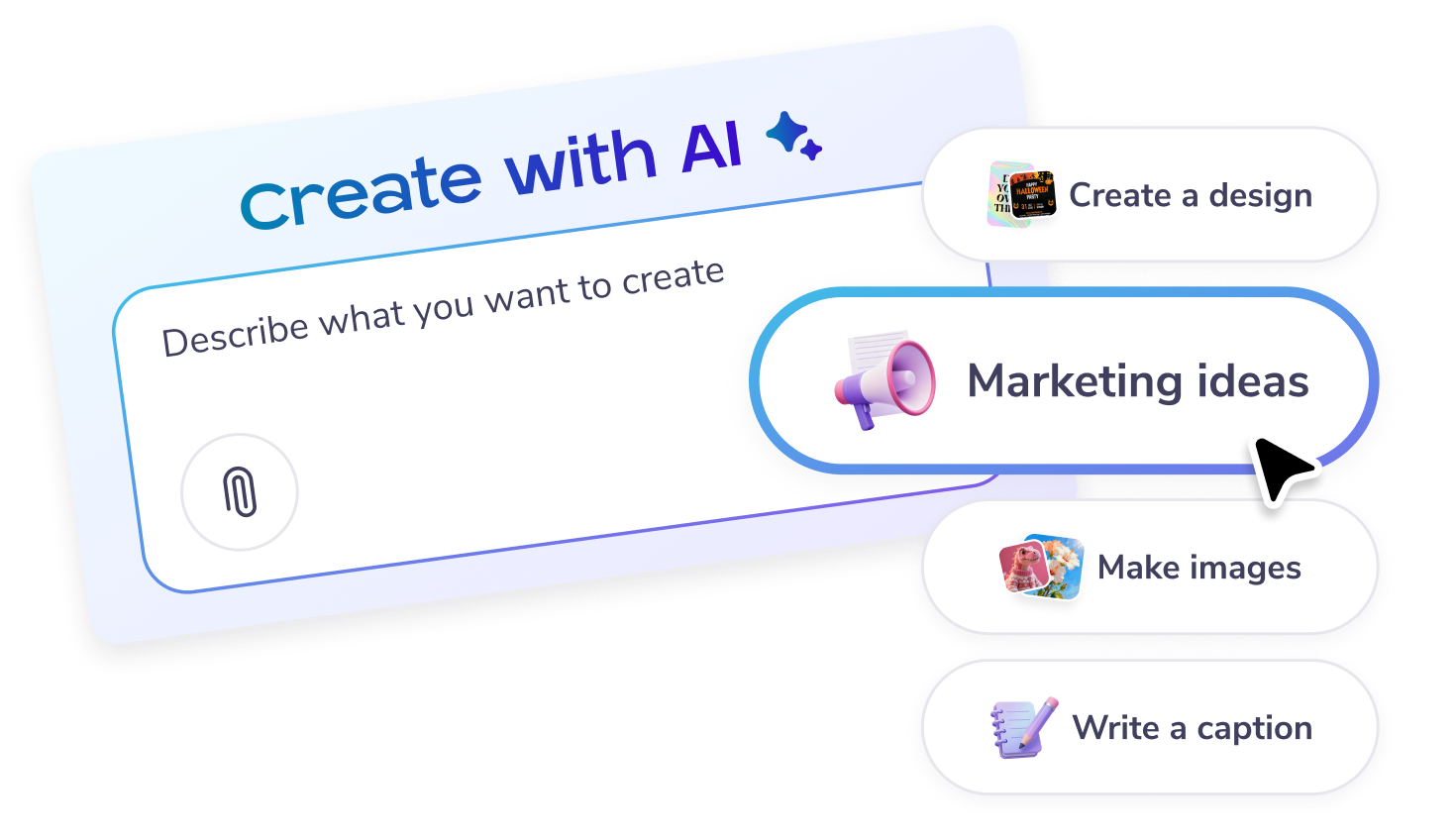
    Start a chat in the chat box on the main page, or click on the “Create with AI” option on the left panel.

  3. Enter a prompt

    Describe what you would like to create: designs, posters, social posts, email content, captions, marketing ideas - or get inspired from the on-screen options.

  4. Fine-tune

    Enter feedback or suggestions to improve the AI’s results further. Try adding images, or more specific details to get the result you want!

  5. Download or Publish

    Customize the image or design further in the editor. You can add text or more elements. Or download, share and publish as it is.

KI-gestützte All-in-one-Marketingplattform

Erstellen, teilen und verfolgen an einem Ort

Einfaches Marketing beginnt hier

Einfaches Social-Media-Marketing

  • Erstellen Sie trendige Social-Media-Videos mit Timeline und KI-Untertiteln und teilen Sie diese!
  • Erstellen Sie im Handumdrehen Beschriftungen mit unserem KI-Schreiber – keine Schreibblockaden mehr.
  • Veröffentlichen Sie Beiträge und Geschichten mit einem Klick in allen sozialen Netzwerken. Ihre Reichweite war noch nie größer!
  • Planen Sie Beiträge für alle Ihre sozialen Netzwerke im Voraus. Einfach einstellen und vergessen.
  • Erstellen Sie Videos mit Timeline und KI-Untertiteln.
  • Erstellen Sie im Handumdrehen Beschriftungen mit unserem KI-Schreiber – keine Schreibblockaden mehr.
  • Veröffentlichen Sie Beiträge und Storys mit einem Klick in allen sozialen Netzwerken.
  • Planen Sie Beiträge für alle Ihre sozialen Netzwerke im Voraus. Einstellen und vergessen.
Einfaches Marketing beginnt hier

Codelose E-Mails für den codelose Benutzer

  • Wählen Sie aus über 3.600 professionell gestalteten E-Mail-Vorlagen.
  • Passen Sie mit Abschnittsvorlagen, Stilen, Merge-Tags und mehr an.
  • Senden Sie bis zu 10.000 E-Mails pro Monat.
  • Erstellen Sie E-Mail-Anmeldeformulare, um Ihre Listen zu erweitern.
  • Wählen Sie aus über 3.600 professionell gestalteten E-Mail-Vorlagen.
  • Passen Sie mit Abschnittsvorlagen, Stilen, Merge-Tags und mehr an.
  • Senden Sie bis zu 10.000 E-Mails pro Monat.
  • Erstellen Sie E-Mail-Anmeldeformulare, um Ihre Listen zu erweitern.
Einfaches Marketing beginnt hier

Designen mit einfachen Tools

  • Unbegrenzte hochauflösende Bild- und Video-Downloads freischalten
  • Erstellen Sie verlockende Produktfotos mit KI-Hintergrundentferner.
  • Realisieren Sie Ihre Vorstellung mit KI-Bildern.
  • Erzielen Sie schnell ein konsistentes Branding mit Brand Kits.
  • Schalten Sie unbegrenzt viele hochauflösende Bild- und Video-Downloads frei.
  • Erstellen Sie verlockende Produktfotos mit KI-Hintergrundentferner.
  • Realisieren Sie Ihre Vorstellung mit KI-Bildern.
  • Erzielen Sie schnell ein konsistentes Branding mit Brand Kits und benutzerdefinierten Schriftarten.
Einfaches Marketing beginnt hier

Optimieren Sie Ihren Marketingzeitplan

  • Planen Sie Social-Media-Beiträge und E-Mails für später.
  • Planen Sie Kampagnen in einem Kalender und bleiben Sie auf Kurs.
  • Verpassen Sie keine Marketingchance mehr.
  • Planen Sie Beiträge und E-Mails für später.
  • Planen Sie Kampagnen in einem Kalender und bleiben Sie auf Kurs.
  • Verpassen Sie keine Marketingchance mehr.
Einfaches Marketing beginnt hier

Sorgen Sie für Aufsehen für Ihre nächste Veranstaltung

  • Ziehen Sie Menschenmassen mit unbegrenzt vielen benutzerdefinierten Veranstaltungsseiten an.
  • Verfassen Sie spannende Veranstaltungsbeschreibungen mit KI-Schreiber.
  • Veröffentlichen Sie Ihre Veranstaltung sofort in allen sozialen Netzwerken.
  • Bewerben Sie Ihre Veranstaltung mit versandfertigen E-Mails.
  • Ziehen Sie Menschenmassen mit unbegrenzt vielen benutzerdefinierten Veranstaltungsseiten an.
  • Verfassen Sie spannende Veranstaltungsbeschreibungen mit KI-Schreiber.
  • Veröffentlichen Sie Ihre Veranstaltung sofort in allen sozialen Netzwerken.
  • Bewerben Sie Ihre Veranstaltung mit versandfertigen E-Mails.
Einfaches Marketing beginnt hier

Intelligenteres Marketing mit KI

  • Passen Sie Designs in Sekundenschnelle mit KI-Neugestaltung an.
  • Generieren Sie mit KI die perfekten Bilder und Texte.
  • Saubere, gestochen scharfe Bilder mit KI-Hintergrundentferner.
  • Erstellen Sie wirkungsvolle Videos mit KI-Voiceovers und KI-Untertiteln.
  • Passen Sie Designs in Sekundenschnelle mit KI-Neugestaltung an.
  • Generieren Sie mit KI die perfekten Bilder und Texte.
  • Saubere, gestochen scharfe Bilder mit KI-Hintergrundentferner.
  • Erstellen Sie wirkungsvolle Videos mit KI-Voiceovers und KI-Untertiteln.

Weitere Designvorlagen entdecken

Unsere Produkte erkunden

Häufig gestellte Fragen

What is an AI video editor?

An AI video editor is a tool that uses artificial intelligence to help users edit videos quickly and easily. At PosterMyWall, our AI video editor simplifies the editing process, providing a user-friendly interface that suits everyone, even those with no prior experience. Create professional-quality videos with minimal effort using our platform.

How can I create a video using an AI video editor?

Creating a video with an AI video editor on PosterMyWall is simple and fast. Start by choosing from our extensive collection of design templates, specifically tailored for various themes and occasions. Customize your template by adding text, images, and effects. The AI video editor takes care of the technical aspects, allowing you to focus on your message.

Does the AI video editor support subtitles?

Yes, PosterMyWall's AI video editor supports the addition of AI subtitles. This feature automatically generates subtitles for your videos, making them accessible to a wider audience. It's perfect for content creators looking to engage viewers who may be watching without sound or who speak different languages.

Can I use an AI video editor to add voiceovers?

Absolutely! Our AI video editor includes an AI Voice feature, allowing you to add professional-quality voiceovers to your videos. Simply input your script, and the AI Voice will generate a natural-sounding narration. This is ideal for promotional videos, tutorials, and more.

Is there a way to remove backgrounds in videos with an AI video editor?

Yes, PosterMyWall's AI video editor includes an AI background remover. This feature lets users effortlessly eliminate unwanted backgrounds from their videos. It’s a great tool for creating polished, professional-looking content without needing advanced editing skills.

How can busy users benefit from an AI video editor?

PosterMyWall's AI video editor saves time for busy users by automating complex editing tasks. With the help of the PosterMyWall AI feature, you can quickly create and edit videos without needing in-depth knowledge or experience. This allows you to focus on other important aspects of your business or project.

Can I collaborate with others using an AI video editor?

Yes, PosterMyWall's AI video editor supports collaboration through PosterMyWall Teams. This feature enables multiple users to work on the same project simultaneously. It's perfect for teams who need to collaborate on video content without the hassle of managing multiple files or versions.

How does PosterMyWall's AI video editor help with branding?

PosterMyWall's AI video editor integrates seamlessly with our Brand Kits feature. This allows you to maintain brand consistency across your video content. Easily apply your brand's colors, fonts, and logos to ensure that all your videos align with your business's identity.

Can I schedule video posts created with an AI video editor?

Yes, once you've created your video using the AI video editor, you can schedule it for social media posting using our schedule maker. This integration with the Content Planner ensures your content is published at optimal times, reaching your audience when they're most active.

Is there an option for high-quality downloads with an AI video editor?

Yes, PosterMyWall's AI video editor allows you to download high-quality videos. By subscribing to PosterMyWall Premium, you can enjoy unlimited downloads, ensuring that your content looks crisp and professional, whether it's for online use or offline presentations.

PosterMyWall vergleichen















